Logo vectorisation
Your logo deserves better than a pixelated file
Blurry logo, generated by an AI, received in low resolution ? I redraw it by hand into a crisp vector file that scales infinitely without ever losing quality.
The problem
Why so many logos are unusable day to day
More and more entrepreneurs create their first logo with an AI image generator (Midjourney, DALL-E, Canva...) or inherit an old, low-quality file. It looks fine on screen, at small size — but as soon as it needs to be enlarged, printed, or adapted, the problems show up :
- Blurry, jagged, or pixelated edges when enlarged
- Impossible to print at large format (banner, sign, shopfront)
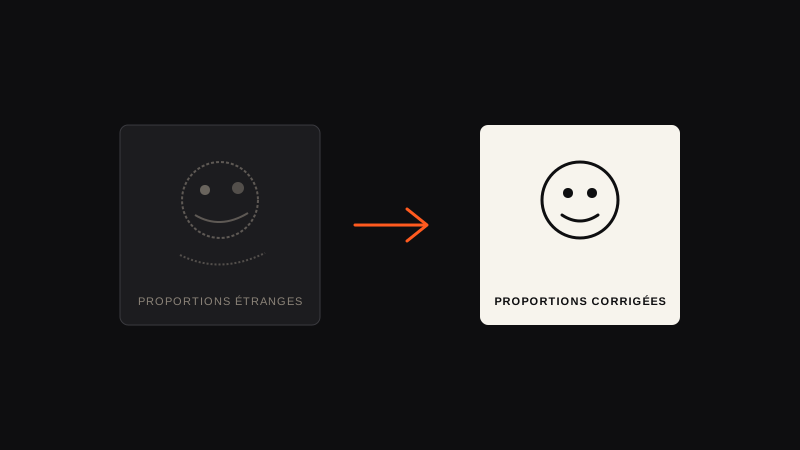
- Odd proportions or inconsistent details typical of AI-generated images
- No editable file received — just a flattened image
- Rendering varies by screen, colours that "bleed"
The result : a brand image that can look amateurish as soon as it steps outside the comfortable frame of a smartphone screen.
The solution
What does vectorising actually change ?
A vector file doesn't contain fixed pixels, but mathematical curves. In practice, your logo stays perfectly crisp, whether displayed as a tiny icon or printed on a banner several metres wide.
Crisp at any size
No loss of quality, no matter how much it's enlarged.
Print-ready
Compatible with all professional media : signage, textile, packaging.
Editable
You get back a source file that you (or a future designer) can rework.
Corrected by hand
Inconsistent details or odd proportions are fixed, not just copied.
Real examples
Before / after vectorisation
Six real projects, two different starting points : some began as an AI-generated logo to correct, others as a simple hand-drawn sketch. Either way, the final result is entirely redrawn and vectorised by hand.
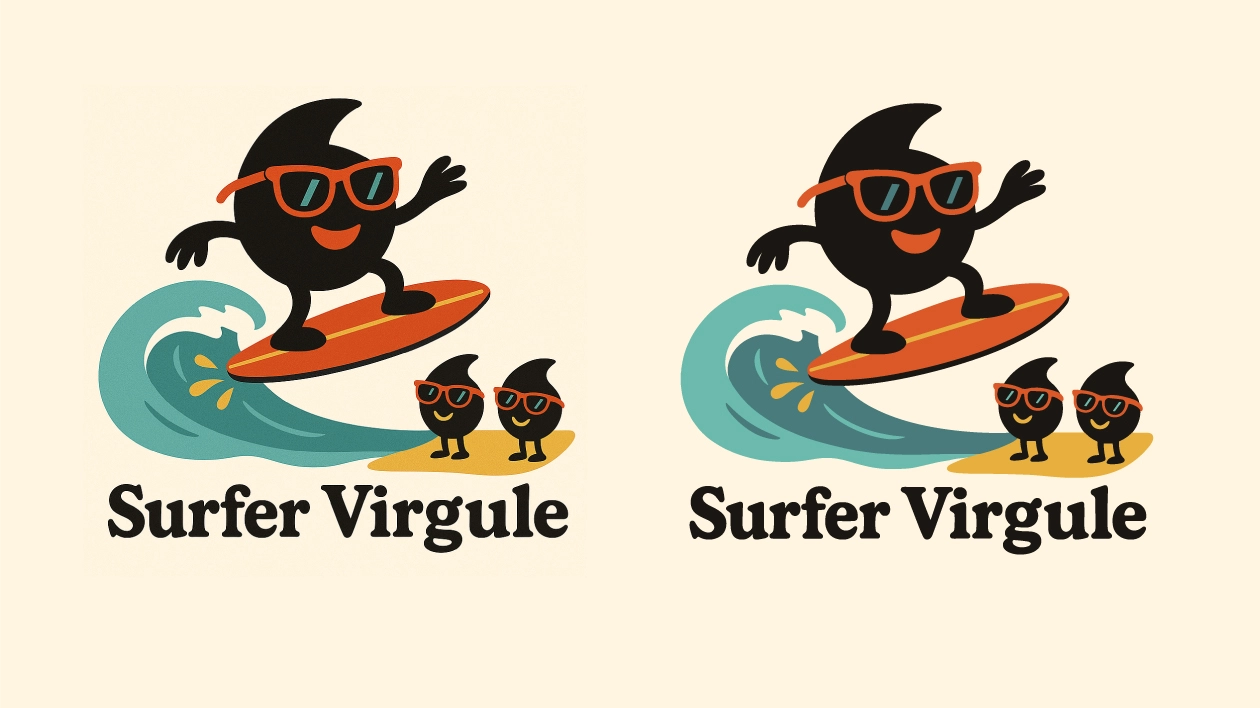
Surfer Virgule — AI logo cleaned up and vectorised
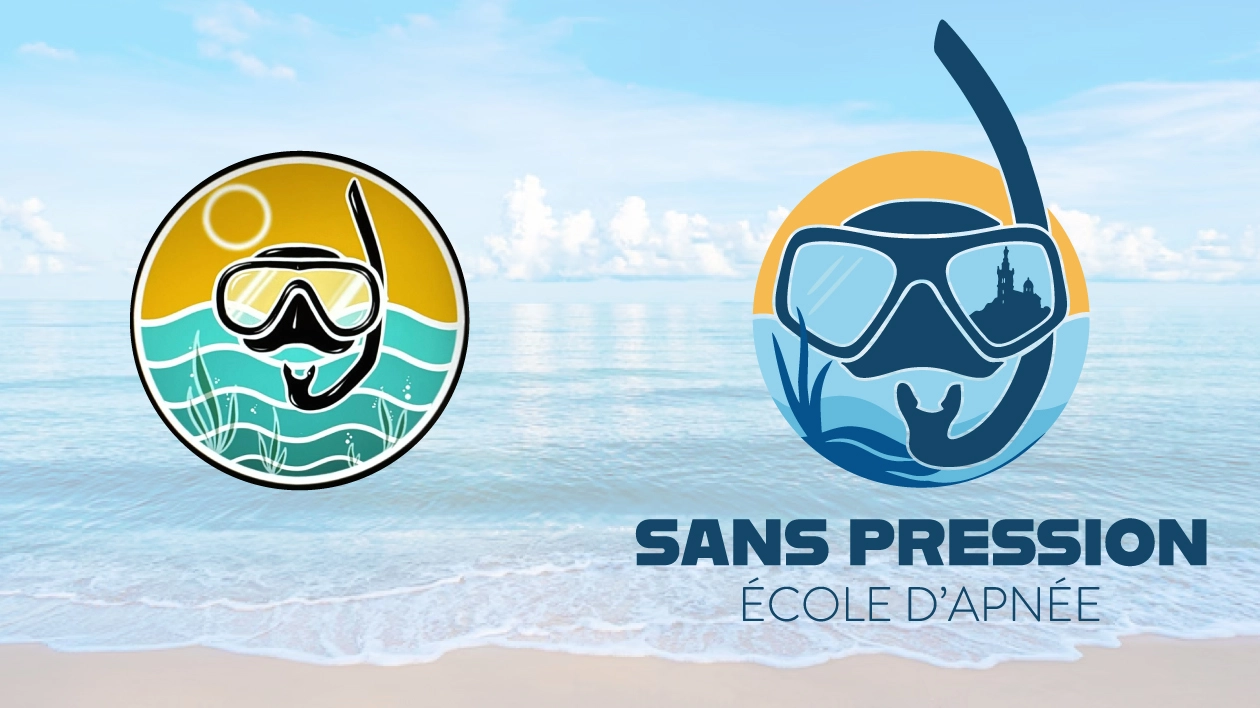
Sans Pression — AI logo reworked and vectorised
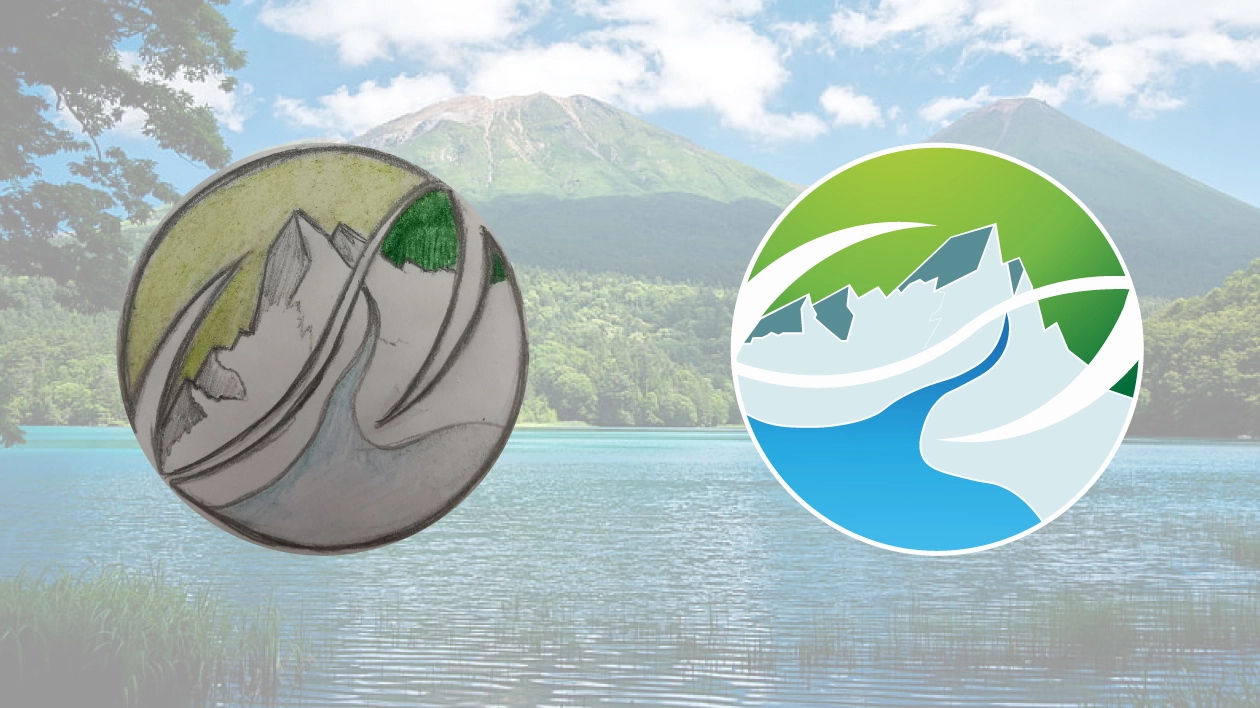
Crisis — paper sketch turned into a vector logo
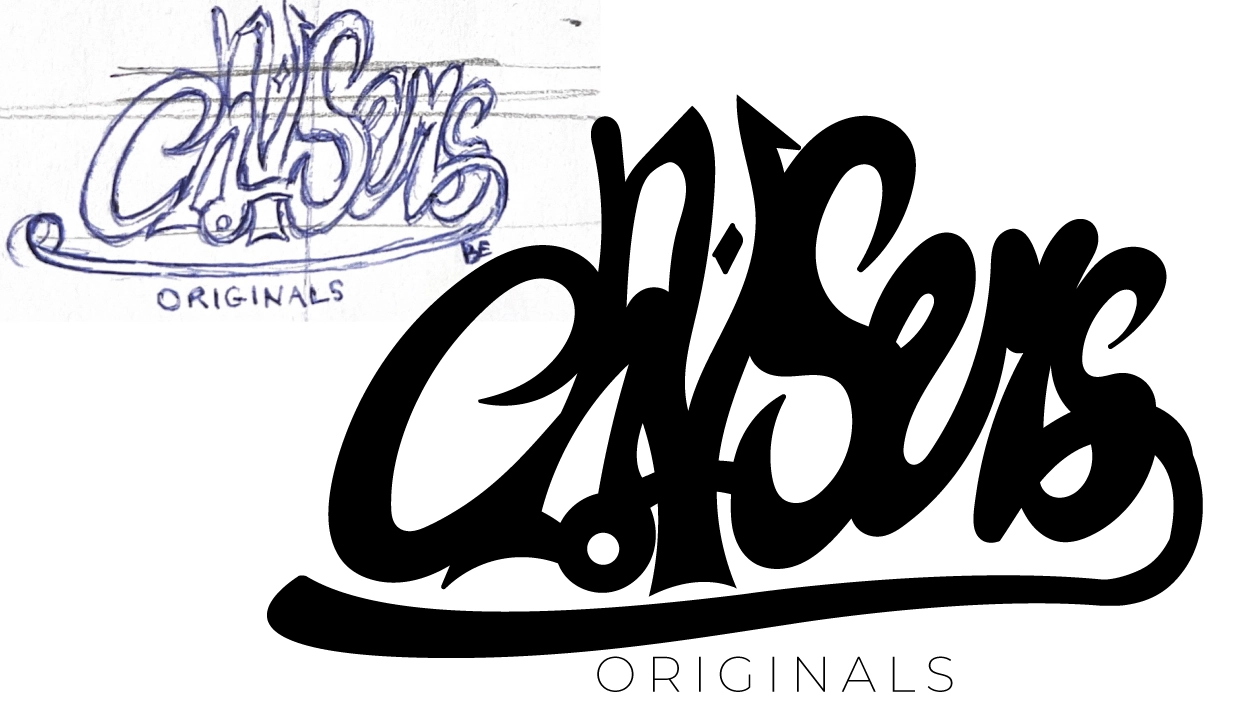
Chasers Originals — hand-drawn graffiti lettering, vectorised
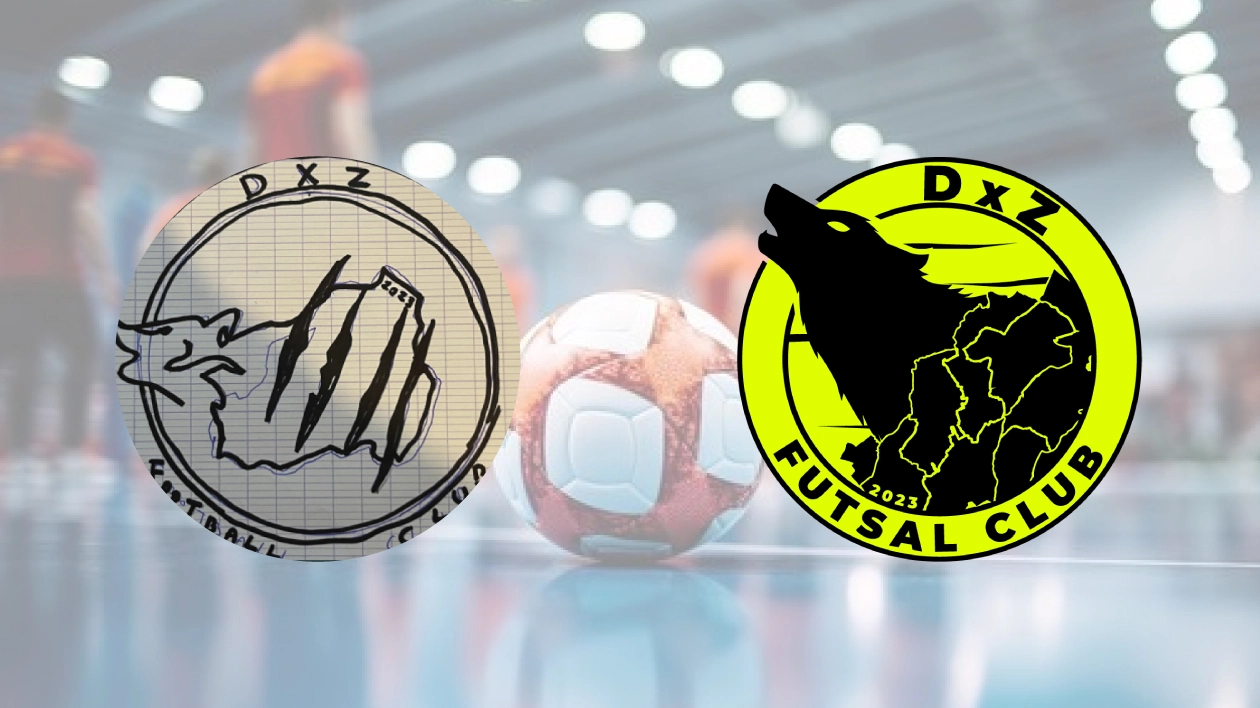
DXZ Futsal Club — sports emblem sketch vectorised
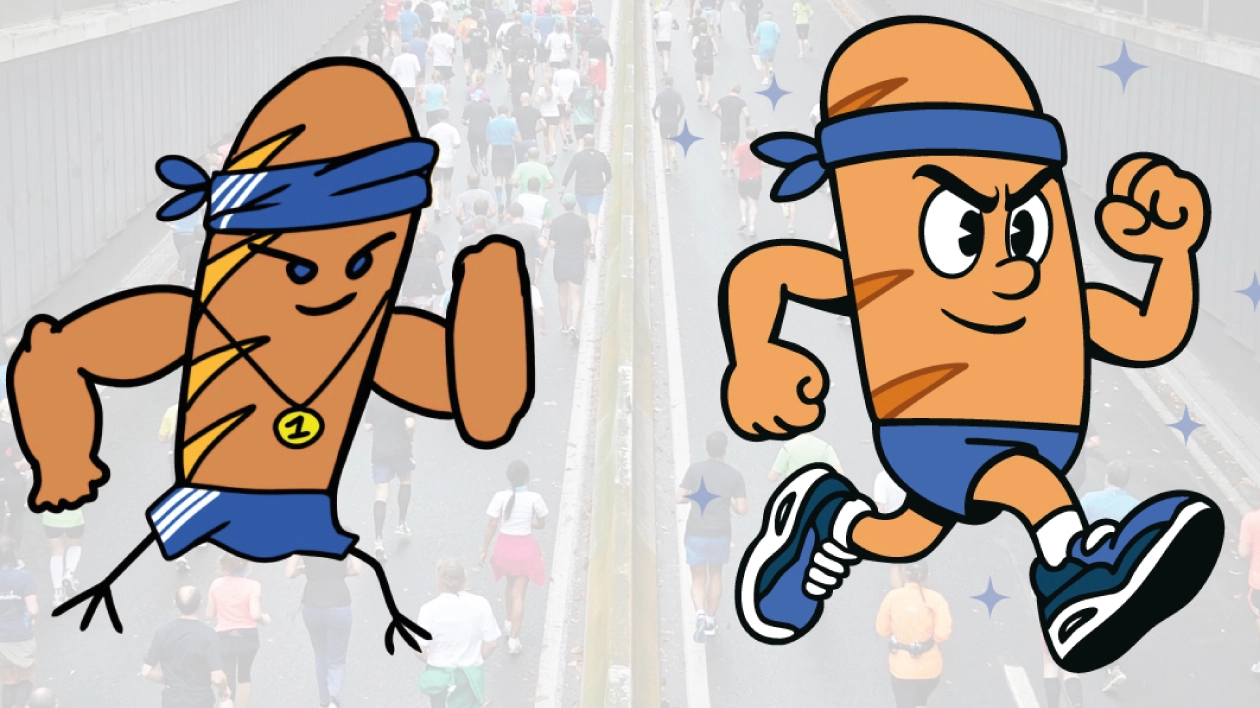
Running Club Bread — client sketch redrawn and vectorised
Two starting points, one result
AI-generated logo or simple sketch : I work with both
Some clients arrive with an AI-generated logo (Midjourney, DALL-E, ChatGPT, Canva) they want to make usable. Others arrive with a simple pencil sketch, sometimes scribbled on a corner of a table, that they want to turn into a real visual identity. Either way, the method is the same : I redraw everything by hand in Illustrator, correct the proportions and inconsistent details, then deliver a clean vector file that's usable everywhere.
Worth knowing before you generate your logo
The real drawbacks of a logo created only by AI
An AI generator can produce an appealing result in seconds. The problem shows up once you actually need to use that logo day to day, over time.
- No vector file delivered — just a flattened, pixel-based image, never a source file usable for large-format printing.
- No guarantee of originality — the AI was trained on millions of existing logos; nothing guarantees your result doesn't resemble an already-registered brand.
- No clear intellectual property — the usage terms for AI-generated images remain unclear on many tools, which complicates a trademark filing.
- Inconsistency between variations — regenerating the logo for a variant often gives a different result, with no real visual continuity.
- No strategic thinking — the AI answers a prompt; it never asks the questions that matter : your positioning, your audience, what sets you apart from competitors.
- Technically inconsistent details — odd proportions, overlapping elements, approximate symmetry : common flaws, hard to spot for an untrained eye.
None of this is a dealbreaker : an AI logo can be a good starting point to explore a direction. But publishing that result as-is, with no human intervention, exposes you to all six problems at once — often discovered at the worst possible time, once the logo is already in use across several materials.
Pricing
Accessible prices, for real manual work
Essential
For a simple, single-colour logo.
- Manual hand vectorisation
- Monochrome logo (1 solid colour)
- Cleanup of outlines and artefacts
- High-definition PNG + 300 DPI JPG files
- Delivered in 2 days
Pro
For full professional use.
- Everything in Essential, plus:
- Source vector files (SVG, EPS)
- The format your printers need
- Unlimited enlargement without loss
- Delivered in 3 days
Premium
For colourful or complex logos.
- Everything in Pro, plus:
- Colouring (2 to 4 colours)
- 1 graphic variant reworked by a designer
- Ideal for fixing a complex AI logo
- Delivered in 7 days
🔒 100 % secure payment via ComeUp. Free diagnosis : send me your file before ordering to confirm technical feasibility.
Frequently asked questions
Vectorisation : what people often ask me
Is the diagnosis really free ?
Yes. Send me your file before ordering : I'll tell you whether it's feasible and which package to choose, with no obligation.
What if my logo has colours or a gradient ?
The Premium package (155€) includes colouring (2 to 4 colours) and one graphic variant reworked by a designer — ideal for fixing a complex AI logo.
Can I get my vectorised logo urgently ?
An express delivery option is available on request for urgent needs — just mention it in a message before ordering.
What files come with the Pro package ?
In addition to the high-definition PNG and 300 DPI JPG from the Essential package, the Pro package includes the source vector files SVG and EPS, the format your printers need.
Why manual vectorisation rather than automatic tracing ?
Automatic tracing produces imprecise outlines and artefacts on complex curves. Manual pen-tool vectorisation guarantees clean outlines that stay true to the original.
To go further
AI logos, quality, vectorisation : understanding it all
Why AI-generated logos are often blurry or pixelated
TechnicalPNG, JPG, AI: why these files aren't enough for a professional logo
SolutionMy Midjourney or Canva logo looks bad: how to fix it
ExplainerVectorising a logo: what does it actually change?
DiagnosisThe signs that show a logo needs to be vectorised
ComparisonFree AI vs manual vectorisation: which to choose?
Your logo deserves to be crisp
Send me your file for a free diagnosis, no obligation.