Pixels versus mathematical curves
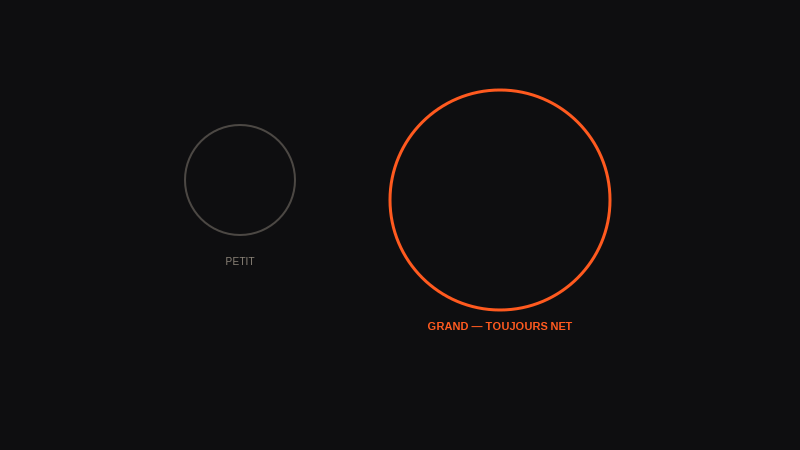
A raster image (PNG, JPG) is a grid of tiny coloured squares called pixels. A vector file describes each shape with mathematical equations, Bézier curves. This technical difference has very concrete consequences day to day.
What vectorisation concretely changes
- Perfect sharpness, whatever the display or print size.
- An editable file, where every shape and every colour can be adjusted separately.
- Full compatibility with professional software (Illustrator, print, cutting and embroidery software).
- A file size that is generally lighter than an equivalent high-resolution image.
A concrete example
Imagine having to print your logo on a banner 3 metres wide for a trade show. With a low-resolution PNG file, the result will be blurry and pixelated, visible from several metres away. With a vector file, the same logo will print perfectly sharp, whatever size you ask for.
Which format for which use
- SVG: the web's vector format, read by browsers and most software.
- Vector PDF: handy to send to a printer, and readable by almost everyone.
- EPS and AI: the working formats of printing, embroidery and signage professionals.
- PNG with a transparent background: useful for documents and websites, but not vector: keep it for the sizes it was made for.
- JPG: suited to photos, rarely to logos, because it doesn't handle transparency.
To go further on which files to ask for, see which files to ask for with your logo and the SVG format, advantages and pitfalls.
A logo that needs to be put into vector?
See logo vectorisationVectorising doesn't mean "redrawing it identically"
Good manual vectorisation doesn't just mechanically retrace the existing outlines: it also fixes small inconsistencies, smooths awkward angles and guarantees a clean result, not a simple pixel-by-pixel copy turned into lines.
What vectorisation doesn't do
- It doesn't make a bad design better. It solves a file problem, not a drawing problem.
- It can't recover details that aren't there. If the original image is too small, the graphic designer has to rebuild some shapes rather than retrace them.
- It doesn't replace a real simplified version for very small sizes.
When it isn't necessary
If your logo is only for web use (social media, website) and you don't plan any printing or enlargement, a good high-resolution PNG file may be enough. Vectorisation becomes essential as soon as professional printing or use across several materials comes into play.
How to spot a non-vector file
The most reliable sign: zoom in hard on the file. If the edges turn blurry or pixelated, it is a raster image. A vector file stays perfectly sharp at any zoom level. The extension is also a clue: AI, EPS and SVG are vector formats, PNG and JPG are always raster, even at very high resolution. Other clues are listed in the signs that a logo needs to be vectorised.
What happens during manual vectorisation
The graphic designer retraces each shape of the logo by hand, point by point, adjusting the curves so they stay faithful to the original while correcting the irregularities introduced by compression or the low resolution of the source file. This work generally takes longer than an automatic pass, but guarantees a professionally usable result. To compare with automatic tools, see free AI or manual vectorisation and the free tool Contour.
Frequently asked questions about logo vectorisation
How can I tell if my current logo is vectorised?
Zoom in hard: if the edges turn blurry or pixelated, it isn't a vector file. The AI, EPS and SVG extensions are vector; PNG and JPG are always raster.
Does automatic online vectorisation work as well as real manual work?
No. Automatic tools mechanically retrace the existing outlines, flaws included, whereas manual vectorisation fixes inconsistencies and smooths awkward angles.
How long does vectorisation take?
It depends on the complexity of the logo, but it is generally a quick service, a few days, much shorter than a complete logo design.
Should I vectorise a logo if I never print my materials?
Not necessarily right away. But having a vector file in reserve means you don't have to rush the day a large-format printing opportunity comes up.
Which vector format should I choose?
SVG for the web, vector PDF to send to a printer, EPS or AI for printing and embroidery professionals. A good provider delivers all three.
A designer's perspective
I regularly receive "almost right" logos that suffer from one problem only: the lack of a vector file. The design itself is sometimes perfectly fine, but its owner can't do anything with it as soon as a printer or partner asks for an AI or EPS file.
A logo without a vector version isn't really finished: it is a file of limited use, waiting for real technical work.
In summary
Vectorising a logo gives it the freedom to work on any material, at any size, with no loss of quality. It isn't systematically essential for purely web use, but it quickly becomes necessary as soon as printing or multiple variations come into play. If you don't know whether your logo is vectorised, a good reflex is to check with the zoom test, or to ask for a diagnosis.